

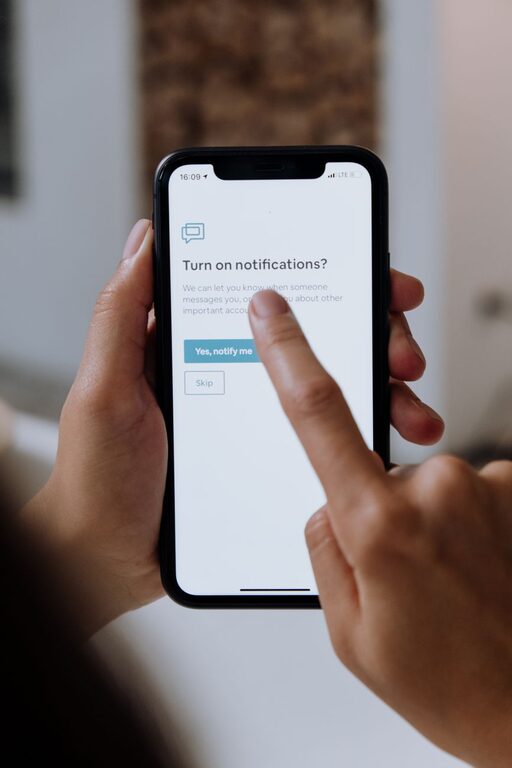
In today’s connected world, notifications can be both helpful and overwhelming. They keep us updated but can also interrupt our flow and increase stress. Setting boundaries with notifications is essential for maintaining focus, reducing distractions, and improving overall well-being. Whether it’s your smartphone, computer, or tablet, managing how and when you receive notifications can make a big difference in your daily productivity and peace of mind.
Why Setting Notification Boundaries Matters
Notifications are designed to grab attention, but constant interruptions can fragment your focus. This can lead to:
– Decreased productivity
– Increased stress and anxiety
– Poor sleep quality (when notifications come at night)
– Difficulty being present in personal moments
By setting boundaries, you can regain control over your time and attention.
Tips for Setting Boundaries with Notifications
1. Customize Notification Settings on Your Devices
Most devices offer detailed notification controls. Take some time to explore these settings.
– Prioritize Important Apps: Allow notifications only from essential apps like messaging or calendar.
– Turn Off Non-Essential Alerts: Disable notifications from less important apps like games or social media.
– Use “Do Not Disturb” Mode: Set specific hours when notifications are silenced, such as during work or bedtime.
2. Schedule Notification-Free Periods
Set blocks of time in your day when all notifications are paused. This helps you focus or relax without interruption.
– Use “Focus Mode” or “Do Not Disturb” features on smartphones.
– Inform friends and coworkers about your notification-free hours when possible.
– Consider making the first hour after waking up or the last hour before bed notification-free.
3. Manage Notifications on Your Computer
Notifications aren’t just on phones; they can pop up on your desktop too.
– Turn off unnecessary app notifications in system settings.
– Use apps or browser extensions that limit web notifications.
– Schedule “quiet hours” on your computer to reduce distractions during work.
4. Review and Declutter Your Apps Regularly
Many apps request permission to send notifications by default.
– Periodically review the apps installed on your devices.
– Remove or disable notifications for apps you rarely use.
– Uninstall apps that no longer serve your needs to reduce clutter.
5. Use Notification Summaries or Batching
Some devices offer a notification summary feature, which collects non-urgent alerts and delivers them at set times.
– This reduces constant interruptions.
– Helps you check notifications in a focused way instead of reacting immediately.
6. Set Clear Expectations with Others
If you work with a team or have frequent communication with people, establishing boundaries can improve mutual understanding.
– Let colleagues know your preferred communication times.
– Encourage the use of email or scheduled messages instead of instant notifications.
– Use status messages or away indicators during deep work or breaks.
7. Limit Social Media Notifications
Social media apps are notorious for sending frequent alerts that can disrupt your day.
– Turn off push notifications for likes, comments, and follows.
– Check social media apps on your own schedule rather than reacting to alerts.
– Use app timers or digital wellbeing tools to control your time on social platforms.
8. Practice Mindfulness Around Notifications
Being mindful about how notifications affect you can help maintain healthy boundaries.
– Notice how you feel when you receive frequent alerts.
– Take a moment before responding to decide if it needs immediate attention.
– Use breathing or short breaks to reset if notifications cause stress.
Benefits of Healthy Notification Boundaries
By implementing these tips, you can experience several benefits:
– Improved concentration and work quality
– More meaningful interactions with family and friends
– Reduced stress and digital fatigue
– Better sleep and relaxation
– Greater control over your time and attention
Conclusion
Notifications are a useful tool, but without boundaries, they can become a source of constant distraction. By customizing settings, scheduling quiet times, and communicating clearly with others, you can create a balanced digital life that respects your focus and well-being. Start small by adjusting one or two settings today, and gradually build a notification routine that works best for you. Your mind—and productivity—will thank you.